Custom dashboards
Custom dashboard development for the number you check each week
The week sits in a spreadsheet, and the same revenue has two figures. We build a custom dashboard around that number, and a first working dashboard is ready in 2 weeks.
We put every point of sale for a hotel in the Alps on one screen, live from the till.
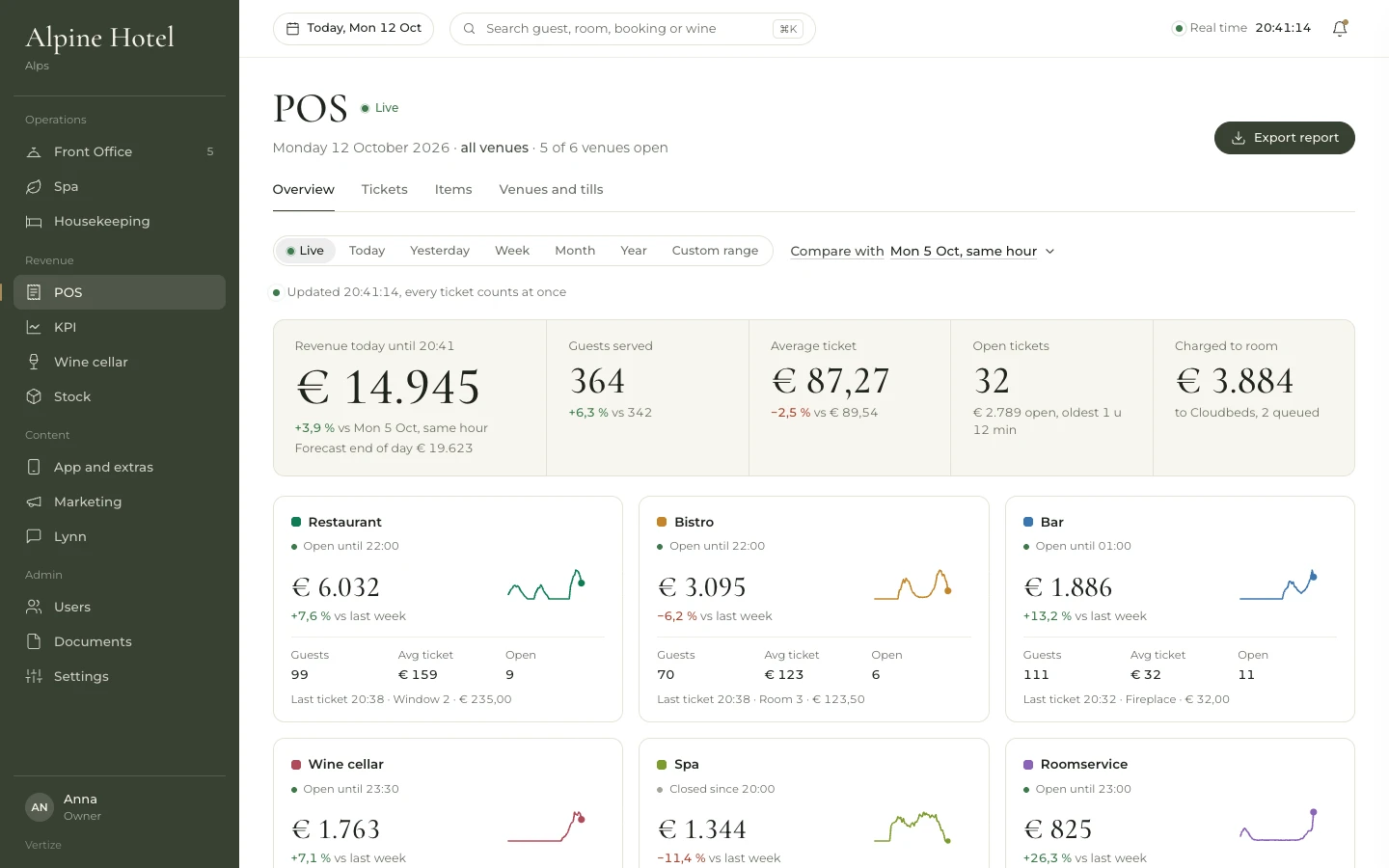
Example screens with demo data from dashboards we built.
Where the number sits today
01
The weekly report is a spreadsheet
Your week lives in a spreadsheet. One tab holds the restaurant, another the bar. Two people edit the file, and you end up with two copies. The cell the director needs on Monday has a question mark in it.
02
The same revenue has two figures
The till has one figure for the restaurant. The weekly report has another. Revenue booked to the room may also sit in Cloudbeds, outside the sheet. You cannot tell which number the meeting should use, so the cell stays a question mark.
03
The director calls for the number
The director calls accounting and asks for this week's revenue. Accounting opens the spreadsheet, the till and last week's file. The answer comes back in a chat: the two figures do not match. There is no screen to open.
The same week, two ways
On the left, the weekly report and the messages about one number. On the right, that revenue on one screen, live from the till.
| Outlet | This week | Last week | Guests | Avg. check |
| Restaurant | 41,280 | see till? | 612 | 67.40 |
| Bar | 12,940? | 11,850 | ? | 21.10 |
| Spa | ? | 9,310 | 88 | ? |
| Total | ? | ? | ? | ? |
The director is calling. What is restaurant revenue this week?
The spreadsheet and the till do not match. Which figure should I give?
I need one number before I call them back.
Example screens with demo data from dashboards we built.
What you lose if nothing changes
On Monday the director calls and asks for the restaurant. The report and the till disagree, so the call ends with a promise to check. By the afternoon the director calls again, and the decision still waits on that chat.
Only one person knows which tab of the weekly report is current. If they are away, someone sends last week's file. The meeting then uses a figure with no source. Next Monday the same two figures are back.
What we build
A first working dashboard is one screen for one number, ready in 2 weeks. The screens below are ones we have built. Yours is the screen we name with you.
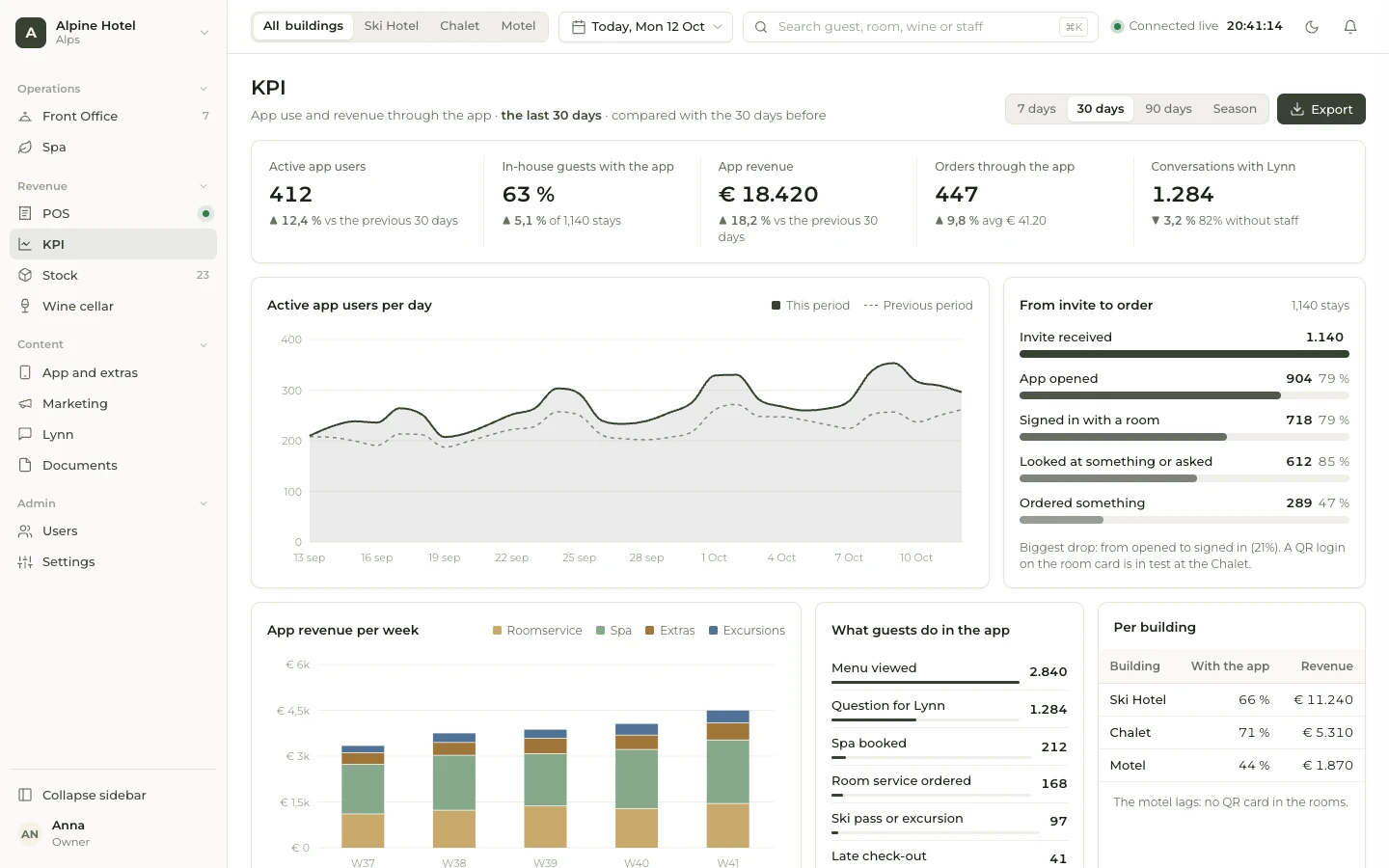
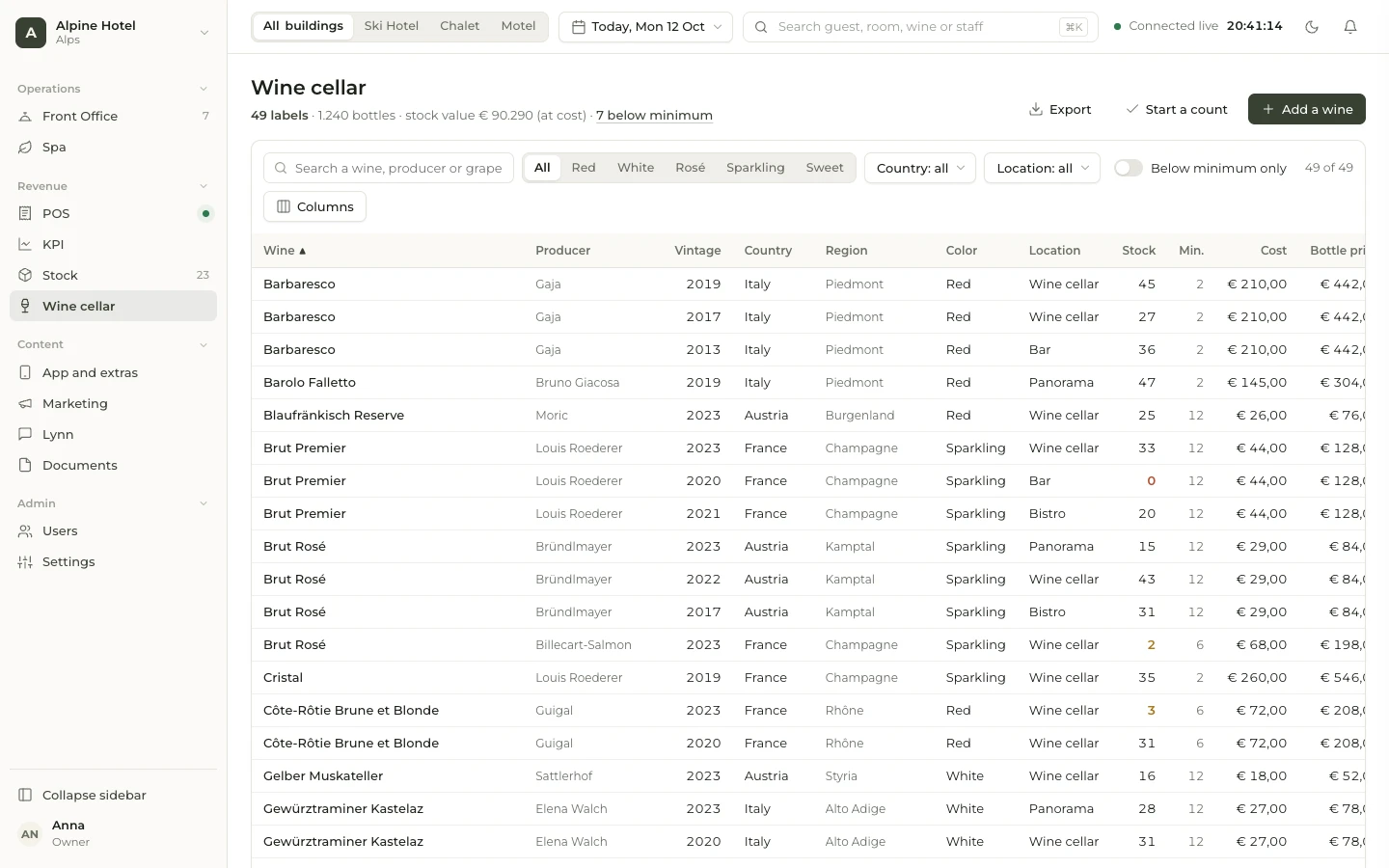
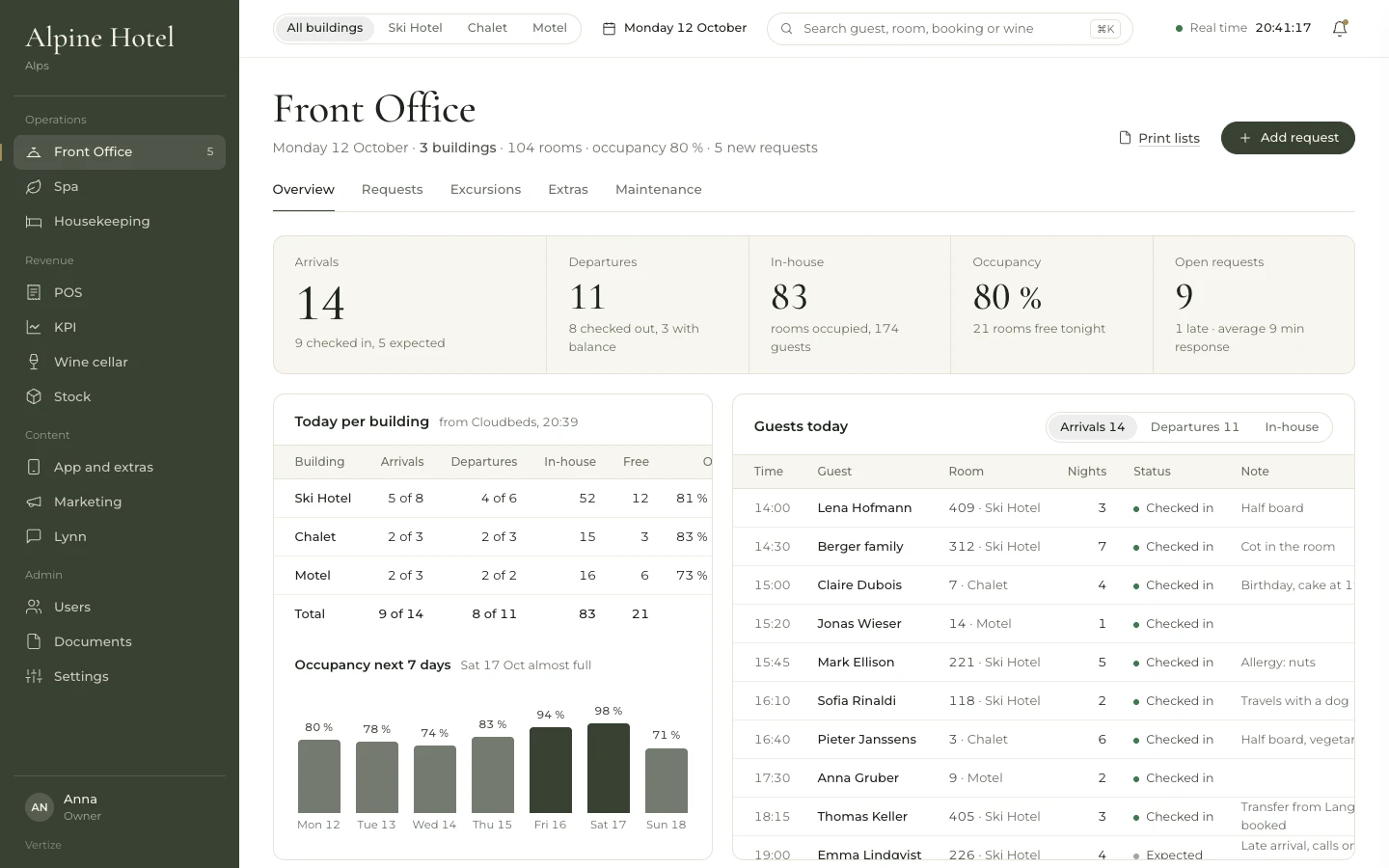
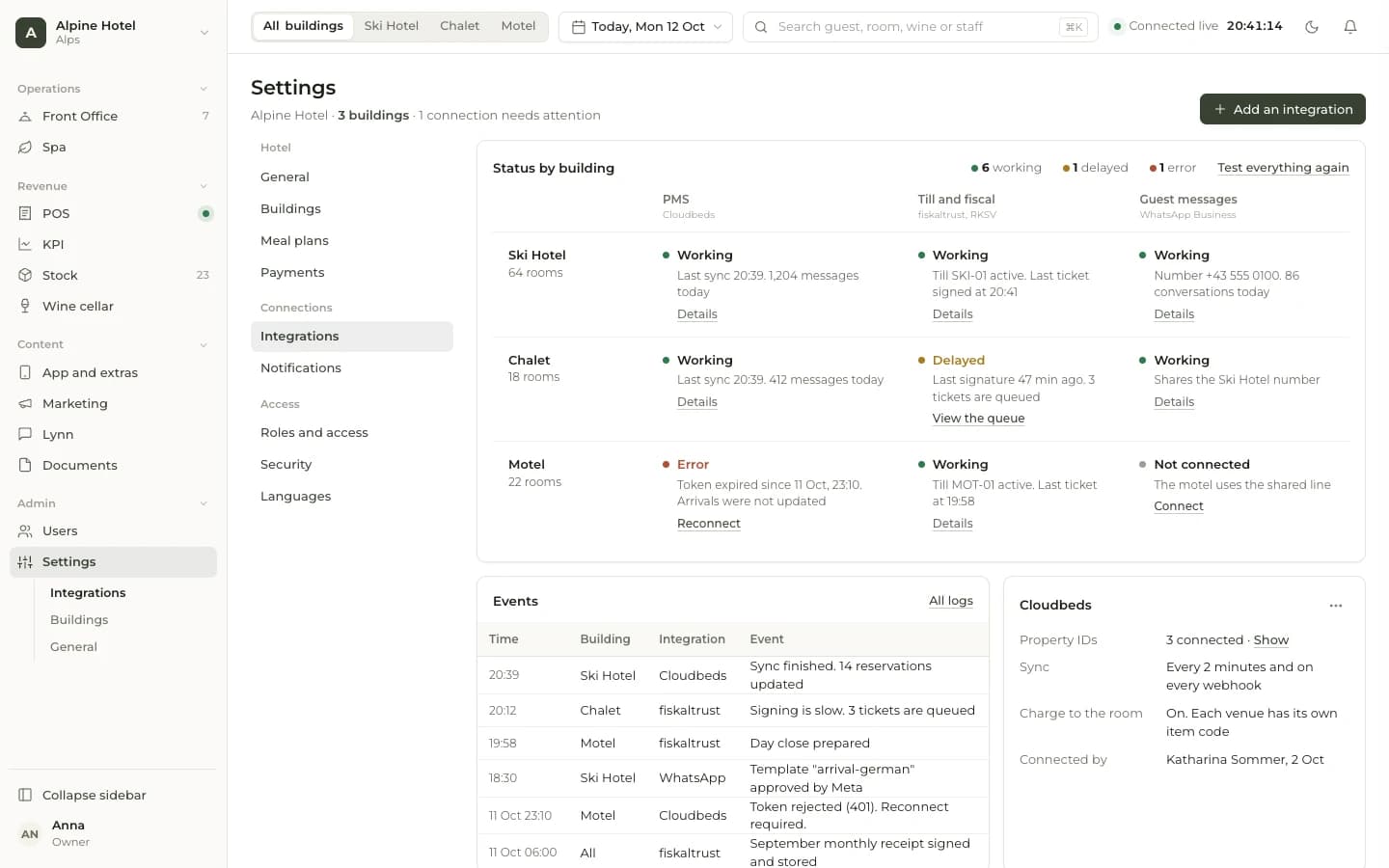
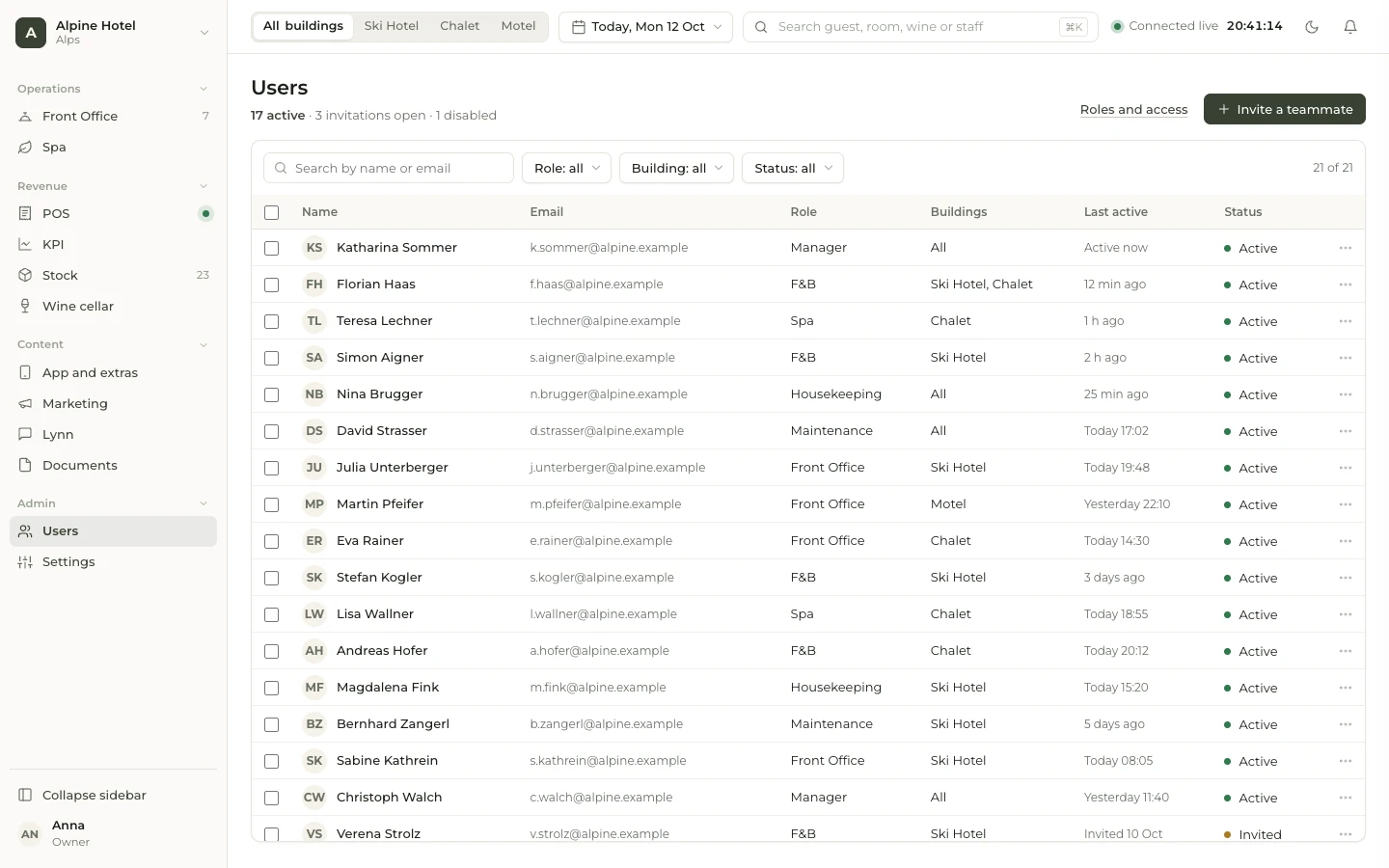
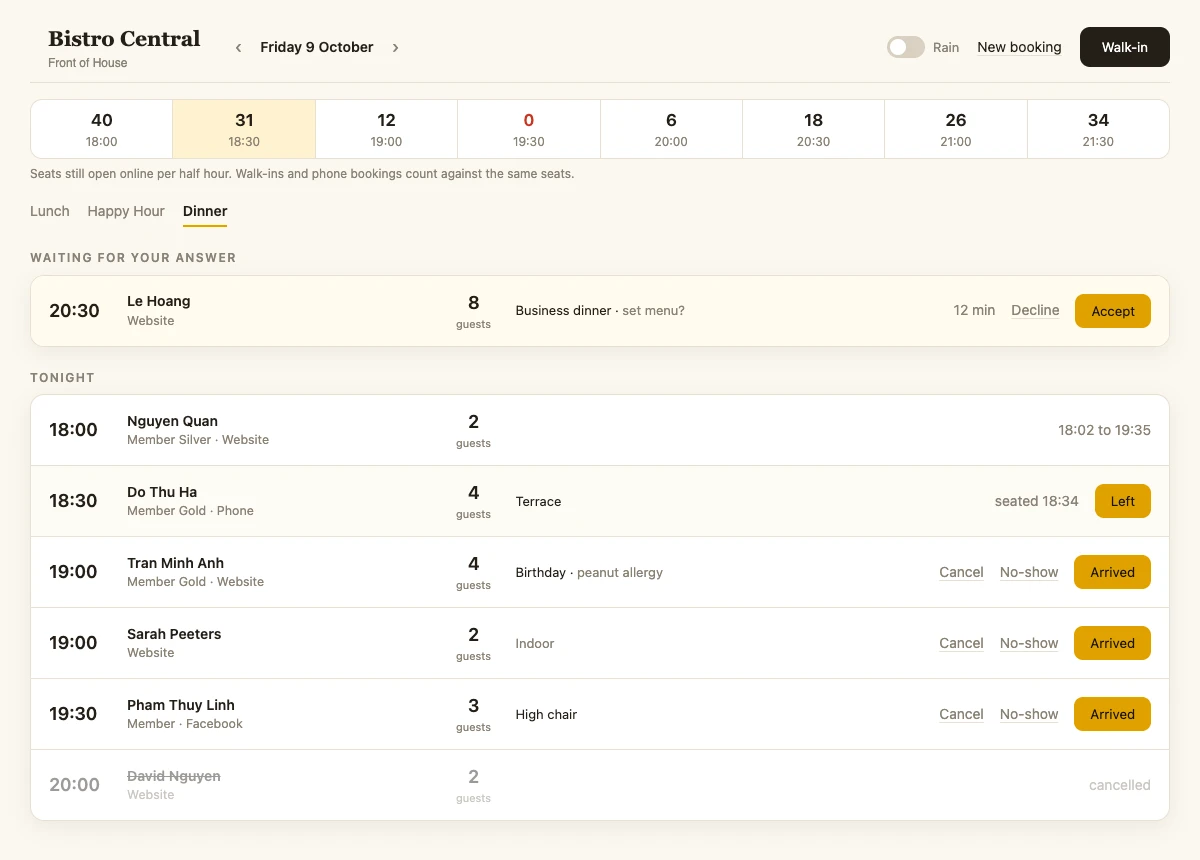
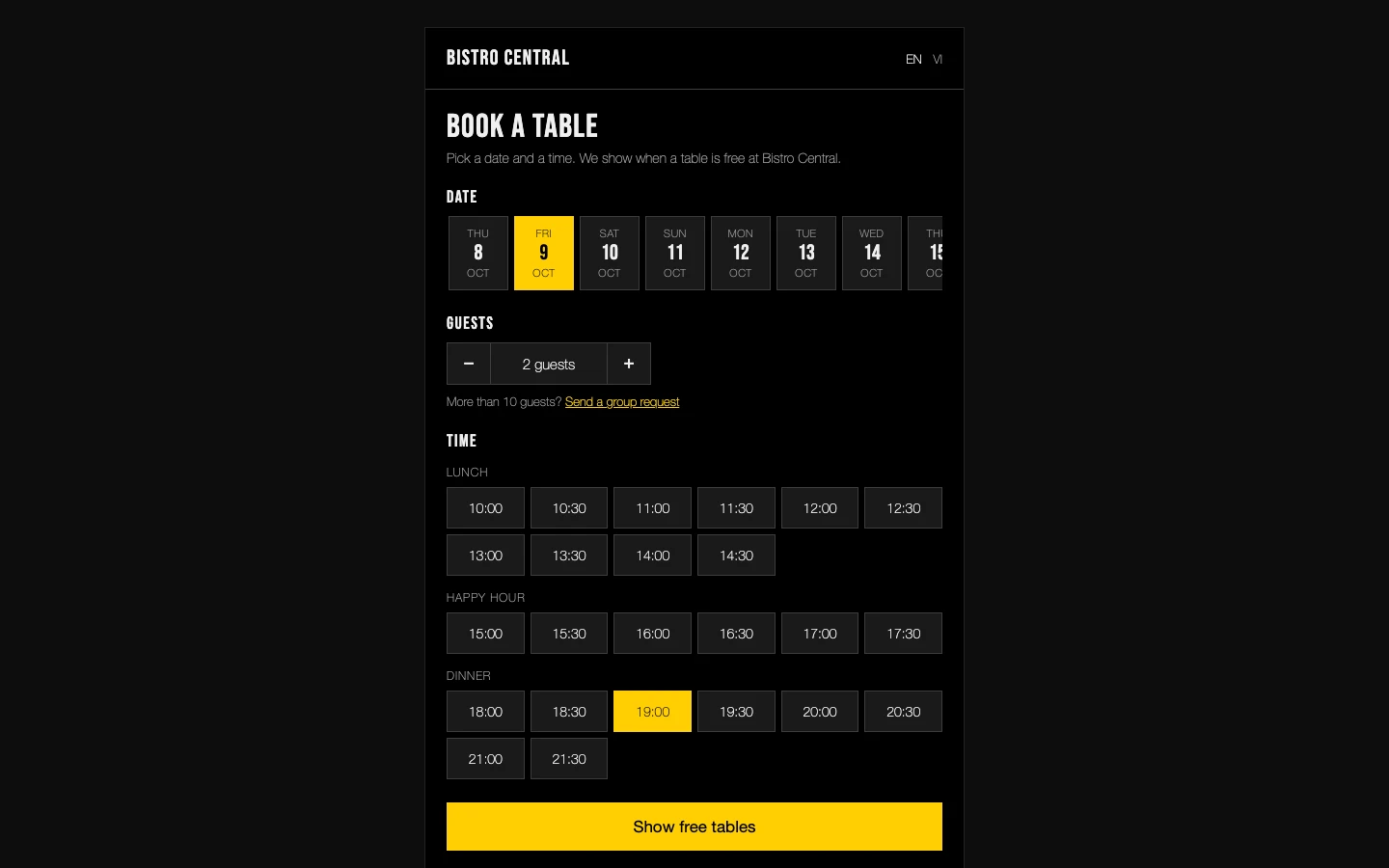
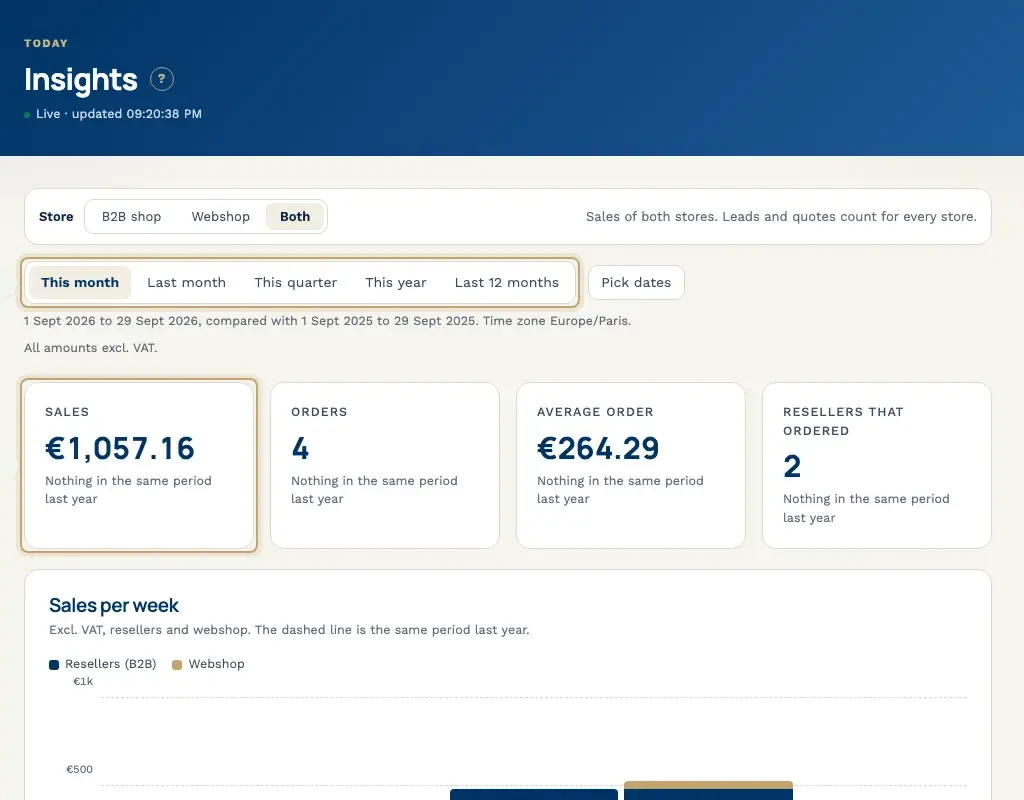
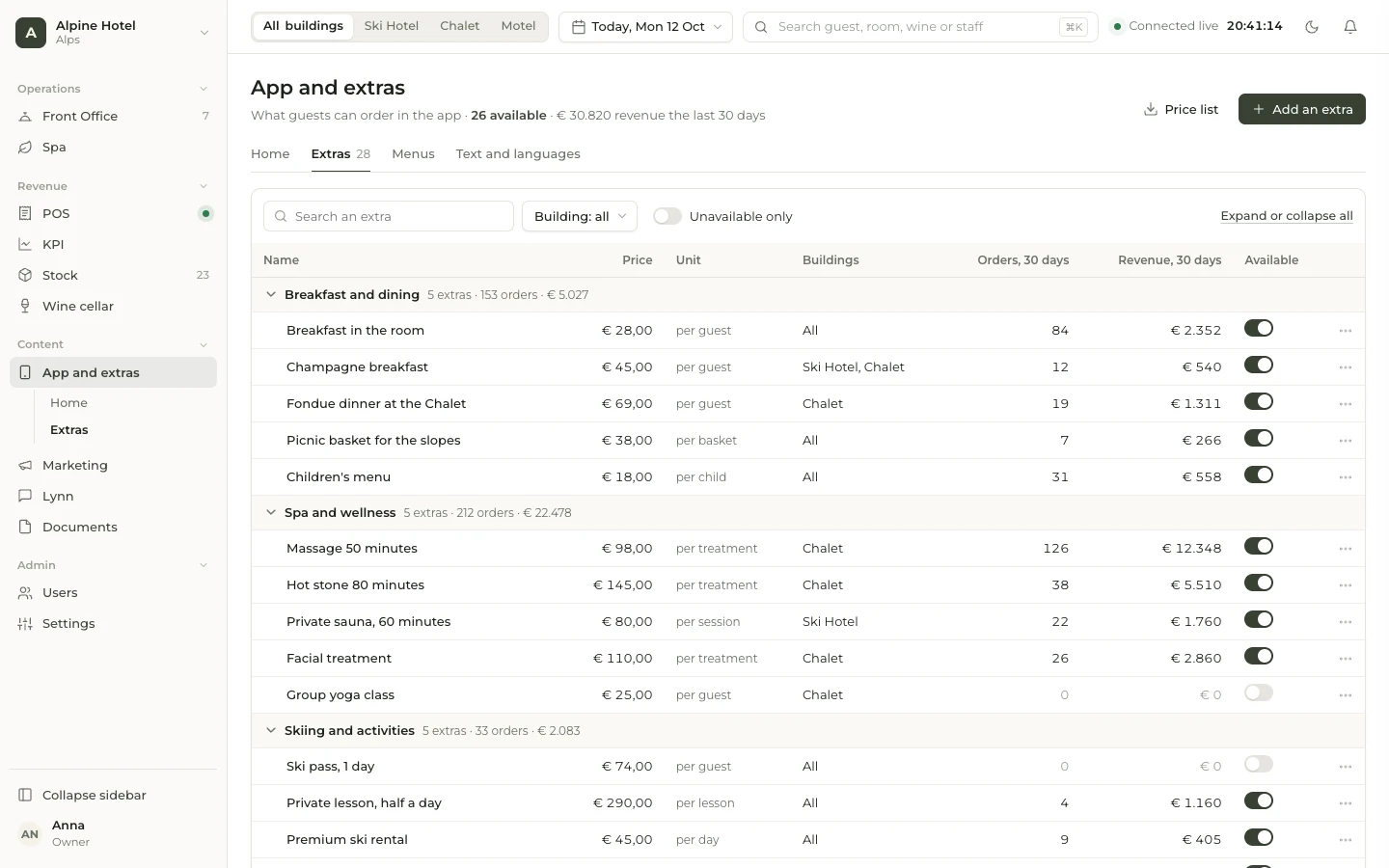
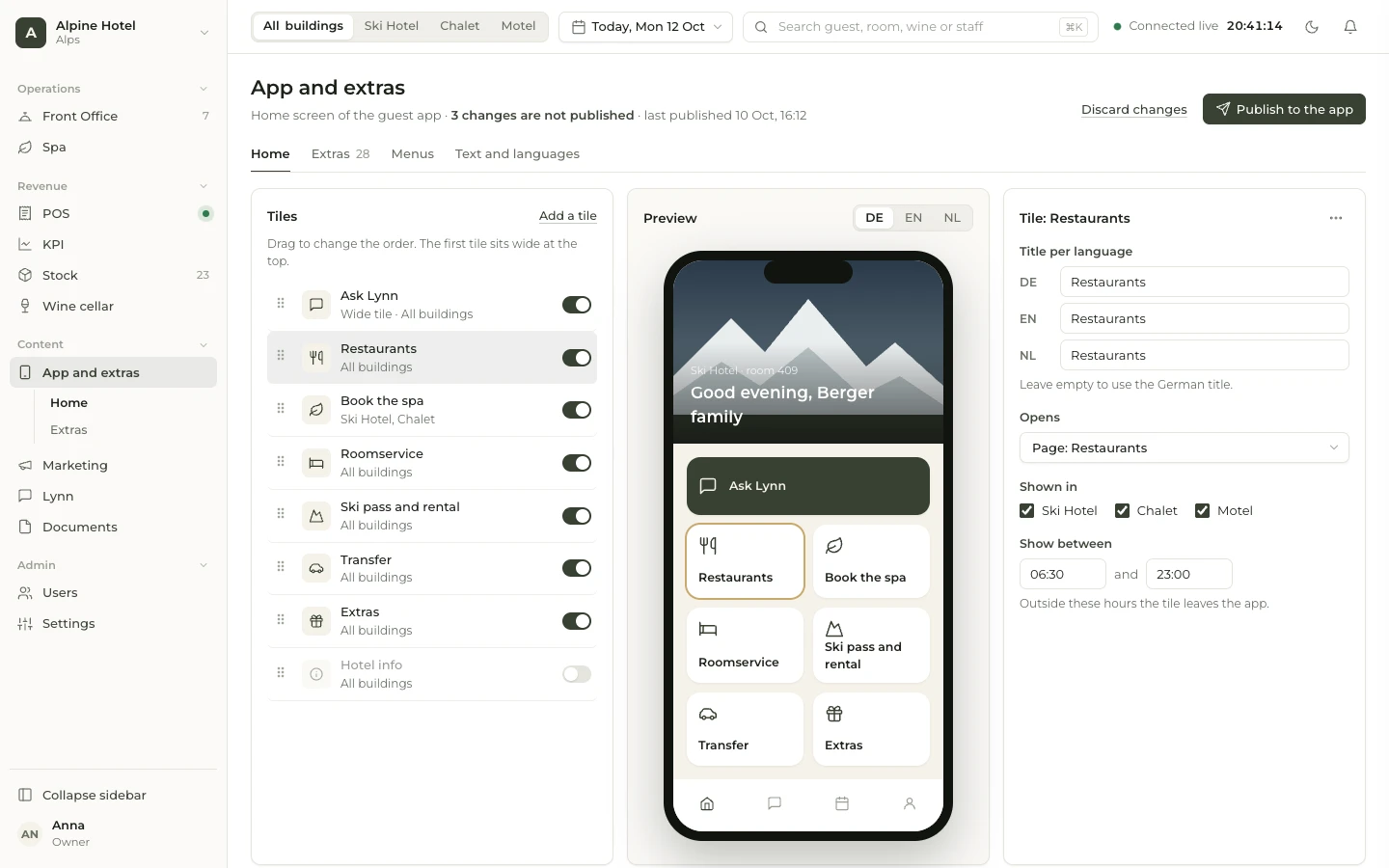
Example screens with demo data from dashboards we built.
What we have built
Every screen below comes from dashboards we built for a hotel and a restaurant, with demo data: revenue, front office, spa, housekeeping, wine, stock, marketing and the floor during service. Click through, or let it run.
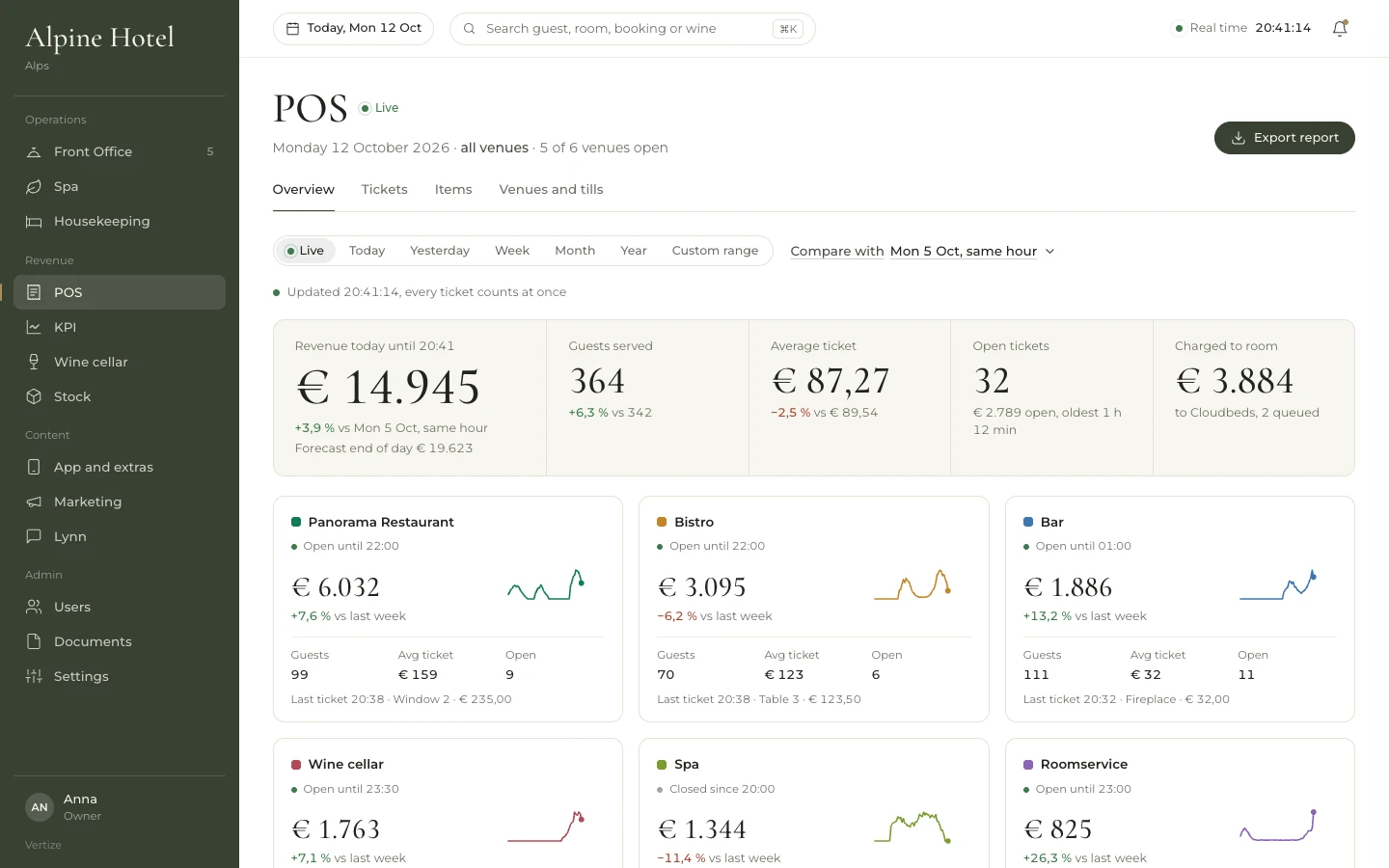
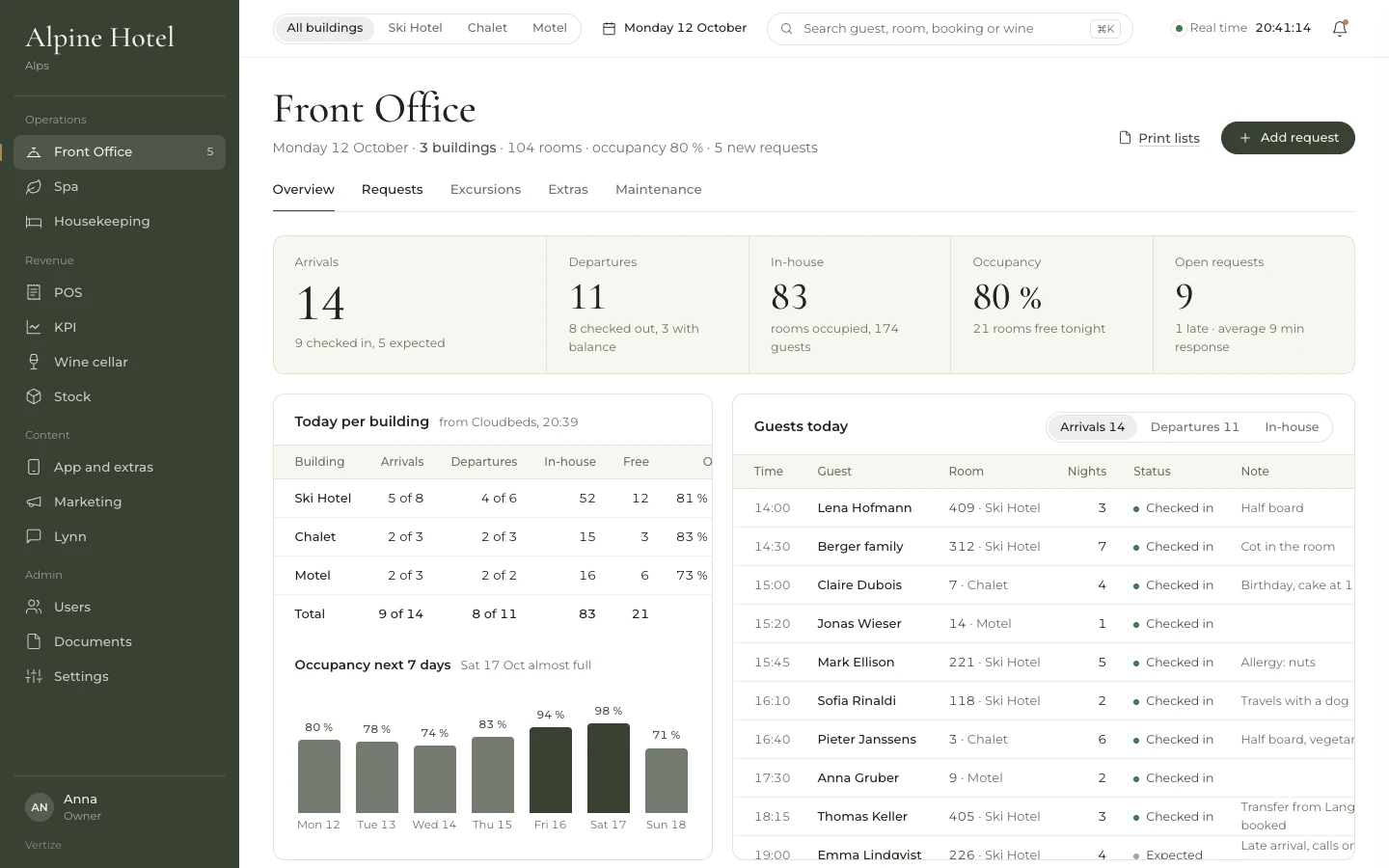
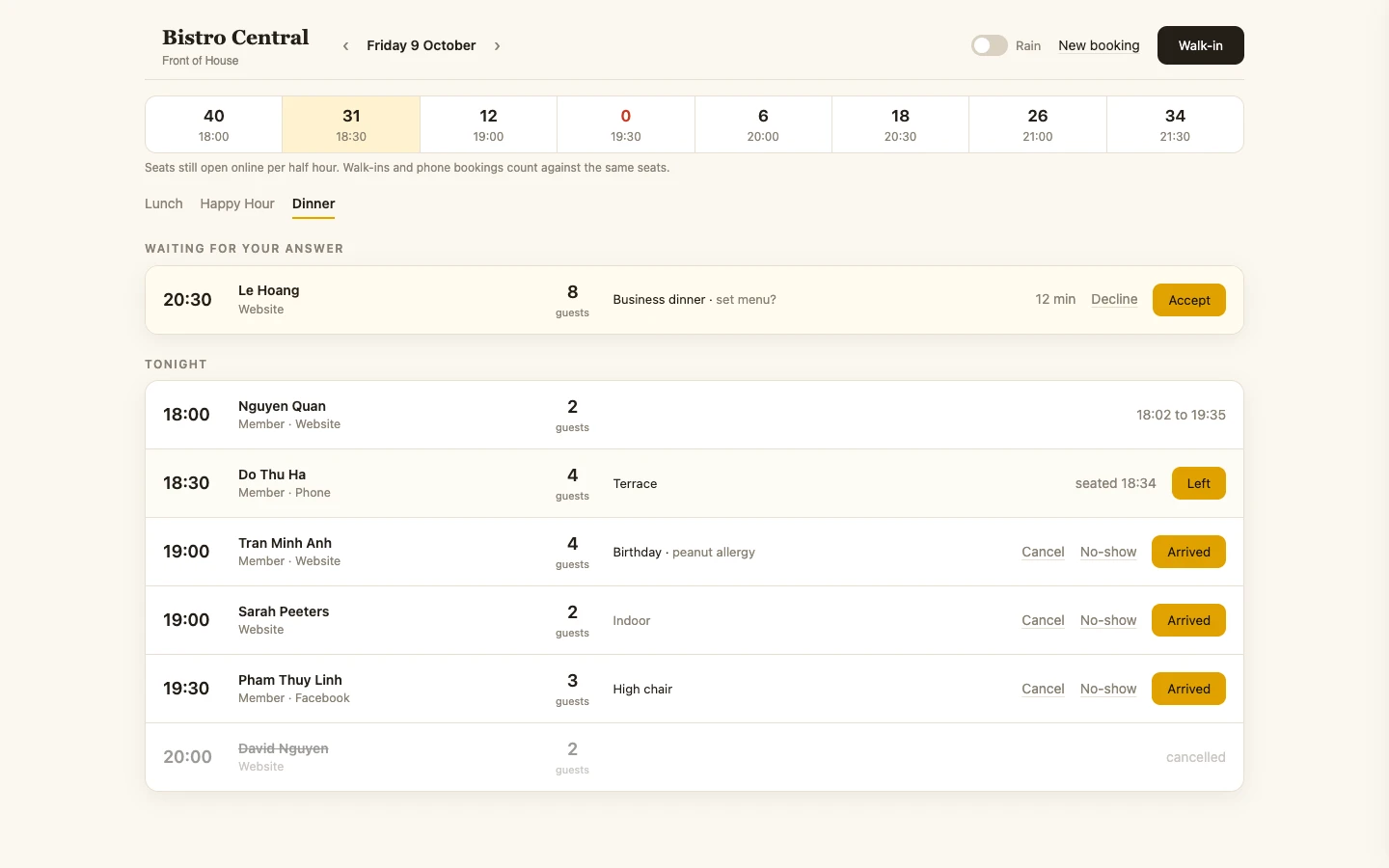
Today's revenue across the hotel venues, with open tickets, a forecast and the latest comparison.
Example screens with demo data from dashboards we built.
One build
Every point of sale, on one screen
For a hotel in the Alps, the till held the restaurant, the bar, the spa, the wine cellar and room service, and the weekly report disagreed. One screen now shows that revenue live from the till, with guests served and the average check. Revenue booked to the room goes to Cloudbeds. The pictures use demo data.
Live
From the till, on one screen
How the 2 weeks go
A first working dashboard takes 2 weeks. More sources or more screens can take longer. We say so on the 30-minute call, before we start.
Days 1 to 2
We learn the number
We sit with the person who wants the number and the person who builds the weekly report. We name the figure the director asks for, where it lives, and one definition. Then we name the first screen, and what waits.
Days 3 to 10
We build the first screen
We build the screen we named. It shows that number, the split you asked for, and nothing else. You see it during these days. In the hotel work, the screen was revenue by point of sale.
Days 11 to 12
We connect the source
We connect the system that already holds the number, so nobody retypes it into the weekly report. At the hotel, the till feeds revenue, and Cloudbeds feeds arrivals, departures and occupancy. Each extra source changes the time and the price.
Days 13 to 14
Your team uses the screen
Your team uses the screen for the number they used to hunt down in the spreadsheet. The director and accounting look at the same place. We stay with the questions that block these two days. Day 14 ends with a working dashboard.
What sets the price and the build time
Every dashboard is priced on what it has to do. Six things decide the price and the build time. On a 30-minute call we go through them against your weekly report.
- Sources: how many systems the number comes from, such as the till or Cloudbeds. Each source we connect adds work.
- Definitions: how many numbers need one agreed meaning, such as revenue per point of sale, guests served, the average check, or occupancy.
- Freshness: whether the screen follows the till through the day, or a period you close.
- Screens and roles: how many screens the work holds, and who each screen is for.
- Permissions: who may open a screen, and which points of sale they may see.
- Hosting and care after the first dashboard: where it runs, and what you want from us once your team is using it.
Questions before the call
Power BI and Looker are tools: someone has to configure them, and each person who opens a report usually needs a licence. We build the screen around the number you already use, with one agreed definition, straight from the system that holds it, such as the till or Cloudbeds. Your team opens one screen instead of a second spreadsheet for the meeting.
It depends on six things: sources, definitions, how fresh the screen has to be, screens and roles, permissions, and hosting plus care after the first dashboard. On a 30-minute call we tell you which of the six apply to you, and what that means for the price and the 2 weeks.
A first working dashboard is ready in 2 weeks. Days 1 to 2 name the number and the source. Days 3 to 10 build the screen. Days 11 to 12 connect it. Days 13 to 14 are for your team. More sources or screens take longer, and we say so first.
You do not type them in again. The hotel till supplies revenue for the restaurant, the bar, the spa, the wine cellar and room service, plus guests served and the average check. Revenue booked to the room goes to Cloudbeds. Arrivals, departures and occupancy for the next 7 days come from Cloudbeds. The restaurant screen reads open seats, waiting requests, walk-ins and phone bookings.
Hotel revenue is live from the till through the day. Arrivals, departures and occupancy for the next 7 days come from Cloudbeds. A report shows the period you pick. How fresh the screen must be is one of the six things that set the price and the build time.
A dashboard stays open during the work: revenue by point of sale, or open seats per half hour. A report shows sales, orders and the average order for a period you close. The weekly spreadsheet tries to be both, so the cells disagree.
The hotel screens read the till and Cloudbeds directly. Nobody copies the figures into a new file first. If your number lives only in the weekly report, that missing source is one of the six factors. We talk about it on the call.
We build them for companies of every kind. The hotel in the Alps and the restaurant are examples, not the limit of the work. We build from Ho Chi Minh City and work worldwide. Bring the weekly report to the 30-minute call.
Bring the weekly report to the call
Bring the weekly report and the two figures for the same revenue. In the 30-minute call we name the first screen, and which factors change the price and the 2 weeks.